How to use a round table seating chart template
- Pick a table size. Download a template for one round table of 6, 8, 10 or 12, or a Word list for a room of tables of 8 or 10.
- Print at 100%. Print on Letter or A4 at actual size (not “Fit to page”).
- Write the names. Write the table’s name or number on the line, then each guest beside their seat. Seats are numbered clockwise from the top.
- Or plan the whole room. Above, press Use this layout, set your round tables, paste your guest list and press Smart arrange. The PDF prints every table with names.
The chart above is a reception with five round tables of 8 and a head table. Press Use this layout to keep the room and clear the example names. Click a table to change its seats, or add round tables from the Add menu.
Templates for one round table
Each PDF has the table on the first page, with the chairs numbered clockwise from the top and a line for the table’s name or number, then a page with a line for every seat. Letter and A4.
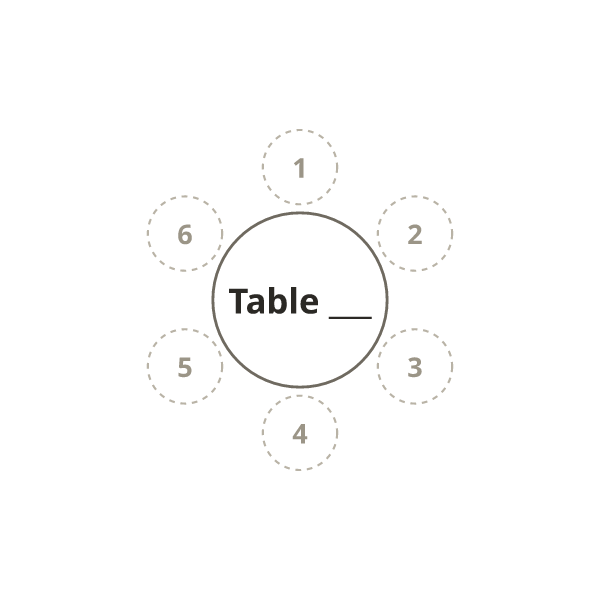
PDF, Letter · PDF, A4
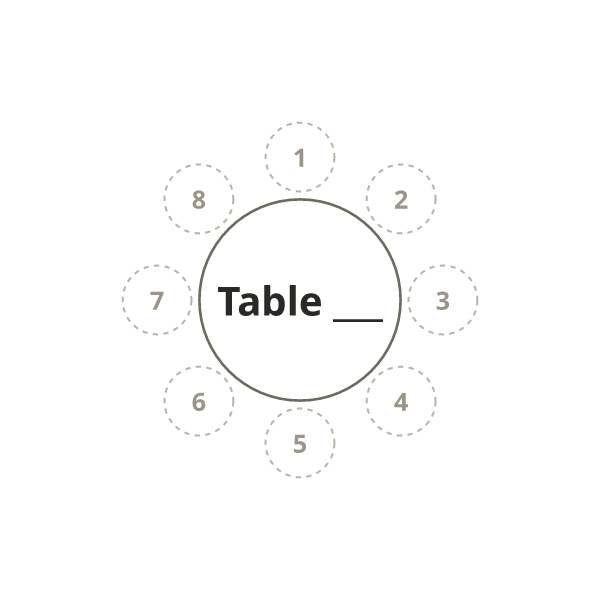
PDF, Letter · PDF, A4

PDF, Letter · PDF, A4
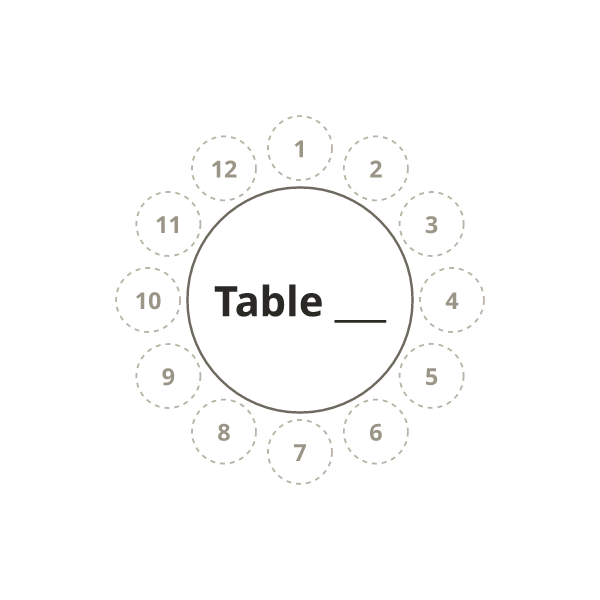
PDF, Letter · PDF, A4
Word template for a room of round tables
Download the Word template for 12 tables of 8 or 10 tables of 10. Each table has a numbered list of seats to type names into; copy or delete tables to match your room. It opens in Microsoft Word, Pages, and Google Docs (upload it to Google Drive and open it with Google Docs).
How many people fit at a round table?
| Round table | Seats comfortably | At a squeeze |
|---|---|---|
| 48-inch (4 ft, 122 cm) | 6 | 8 |
| 60-inch (5 ft, 152 cm) | 8 | 10 |
| 72-inch (6 ft, 183 cm) | 10 | 12 |
That’s about 2 feet (60 cm) of table edge per guest, or 19 inches (48 cm) at a squeeze. A 36-inch (3 ft) round seats 4. Chairs with arms, large centrepieces and charger plates take more room, so check with your venue. New round tables in the chart above start at these sizes: 8 seats on a 60-inch table, 10 on a 72-inch.
Seating a round table
- Seat couples side by side, not opposite each other: across a 6-foot table is too far to talk.
- Keep a household or group of friends at one table, and leave a seat or two free for late replies.
- Put the guest of honour where they can see the stage or the head table. For formal dinners, seating protocol shows who sits where at a round table.
- For a whole room, see reception table layouts, drawn to scale.
More templates
- Wedding seating chart template: rooms of 8 to 20 round tables with a head table and dance floor.
- Printable seating chart: ten round tables of 8 below a stage, long tables and theater rows.
- Seating chart template for Excel: a guest list that counts the free seats at each table.
- Table numbers, place cards and escort cards: the seating card maker.
Frequently asked questions
How many people fit at a 60-inch or 72-inch round table?
A 60-inch (5 ft) round seats 8 comfortably and 10 at a squeeze. A 72-inch (6 ft) round seats 10, or 12 at a squeeze.
How many seats does a 4-foot round table have?
A 4-foot (48-inch) round seats 6, or 8 at a squeeze. A 3-foot round seats 4.
Is there a round table seating chart template for Word?
Yes. Download the Word template for tables of 8 or tables of 10: each table has a numbered list of seats to type names into. It also opens in Google Docs and Pages.
Which way are the seats numbered?
Clockwise, with seat 1 at the top. In the chart above, click a table and tick “Show seat numbers in diagram” to see the same numbers on screen.
Can I plan a whole room of round tables?
Yes. Use the chart above: add round tables from the Add menu, set the seats at each, paste your guest list and press Smart arrange. Then print the floor plan with names.
Are the templates free?
Yes. Every PDF and Word file on this page is free, with no sign-up and no watermark.