How to make a party seating chart
- Pick a party. Start from the birthday, holiday party or prom example, or blank, and change the tables to your room.
- Add your guests. Paste the guest list with each guest’s group: family, school friends, a team or a friend group.
- Set a few rules. Keep two people apart, spread managers or chaperones across tables, or seat the guest of honour near the dance floor.
- Seat everyone. Press Smart arrange: groups sit together and your rules are followed. Drag anyone you want to move.
- Print it. Download the floor plan and an alphabetical list, and make place cards or a sign for the door.
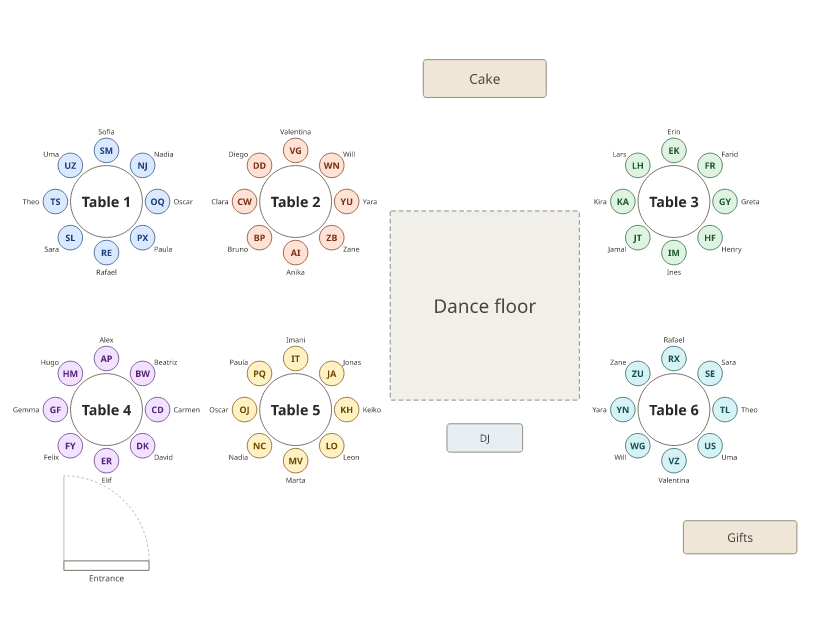
The chart above is a 40th birthday for 48: six round tables of 8 around a dance floor, with a cake table and a gift table. Each circle of friends has its own table, and the birthday guest sits with family at table 1. Switch to the Holiday party for an office party at long tables, or Prom for 100 students in friend groups.
Birthday party seating ideas
- Guest of honour in view. Near the cake and the dance floor, with their partner and closest family.
- Circles together. School friends, work friends, family: tag each guest with their circle and they sit together.
- A connector at every table. Seat one guest who knows everyone at each table so no table is quiet.
- Kids near the exit. A kids’ table near the door or the garden saves everyone a walk.
Christmas and holiday party seating
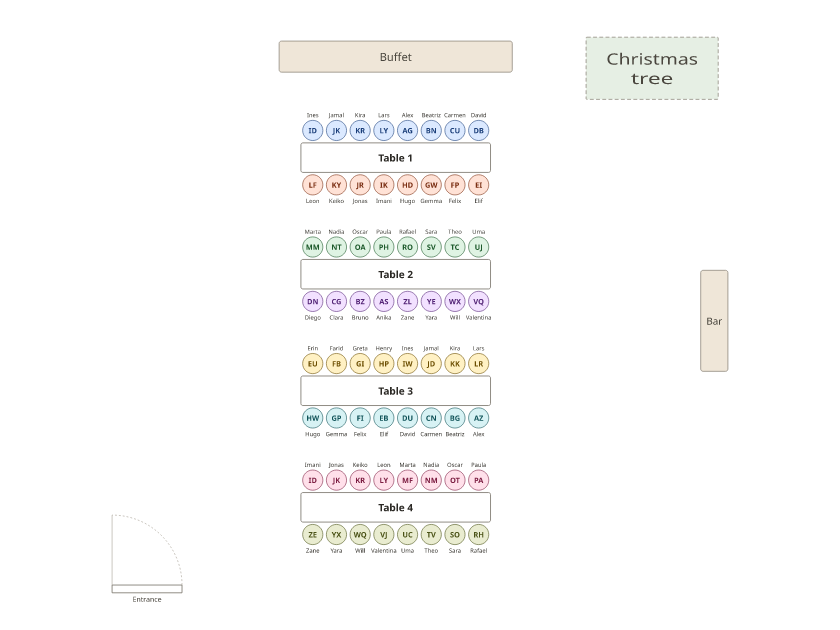
For an office party, decide whether teams sit together or mix. The holiday party example seats two teams to a long table and spreads the managers with a spread evenly rule, one manager per team. To mix teams instead, untick Keep households together in the Arrange panel and add a spread-evenly rule for each team.
Prom seating chart
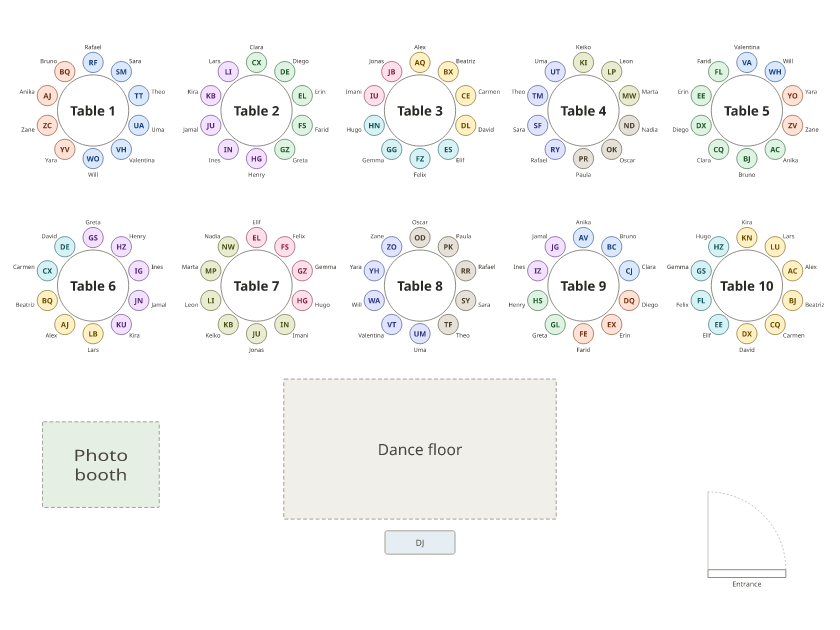
Collect friend groups (most schools use a form), keep each group whole at a table of 10, and keep apart students who shouldn’t share a table. The prom example packs 100 students in friend groups of 2 to 6 into ten tables. Spread chaperones with a spread-evenly rule, and print the alphabetical list for the check-in table.
Print the plan, a sign and place cards
Download PDF prints the floor plan with names and an alphabetical list. Make a poster for the door with the seating chart sign maker and place cards or table names with the seating card maker.
Party seating chart templates
PDF, Letter · A4 · Blank: Letter · A4
PDF, Letter · A4
PDF, Letter · A4
Frequently asked questions
Do I need a seating chart for a party?
For a sit-down meal or more than about 30 guests, yes: it saves a scramble for seats and keeps groups together. For a standing party, a few reserved tables are usually enough.
How should I seat guests at a birthday party?
Put the guest of honour where everyone can see them, with their closest people at the same table, and seat each circle of friends together. Mix in one or two connectors who know everyone.
How do I seat an office holiday party?
Either seat teams together, two teams to a table, or mix them on purpose. Spreading the managers across tables keeps every table lively and nobody stuck with the boss.
How do prom seating charts work?
Students usually choose a table with their friend group. Collect the groups, keep each one whole at a table of 10, separate anyone who shouldn’t sit together, and print the list for the door.
Is there a party seating chart template for Word?
Yes: an A–Z list and a chart by table on the seating chart template for Word page. The PDFs below are ready to print. See the Word templates.
Can I name the tables instead of numbering them?
Yes. Click a table and type a name: a theme, a year or a favourite place. The names print on the plan, the sign and the cards.