How to use a printable seating chart
- Pick a blank chart. Download a printable PDF below, or use the online chart above to make your own layout.
- Print at 100%. Print on Letter or A4 at actual size, with no scaling, so nothing is cut off.
- Fill it in. Write names beside each table’s or row’s seat numbers on the fill-in pages.
- Or let it fill itself. Above, paste your guest list and press Smart arrange; the PDF then prints with every name in place.
Blank seating chart templates to print
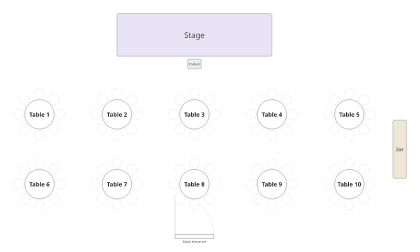
PDF, Letter · PDF, A4
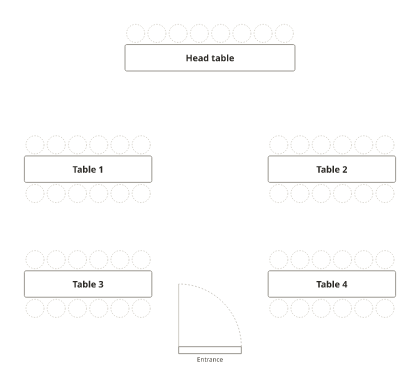
PDF, Letter · PDF, A4
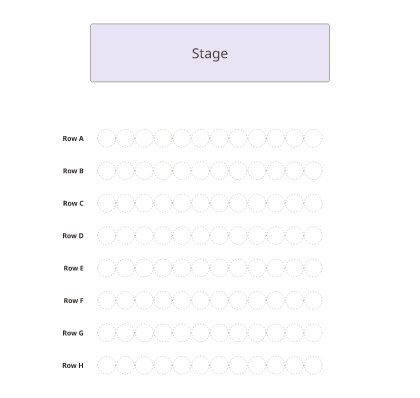
PDF, Letter · PDF, A4
The fill-in pages
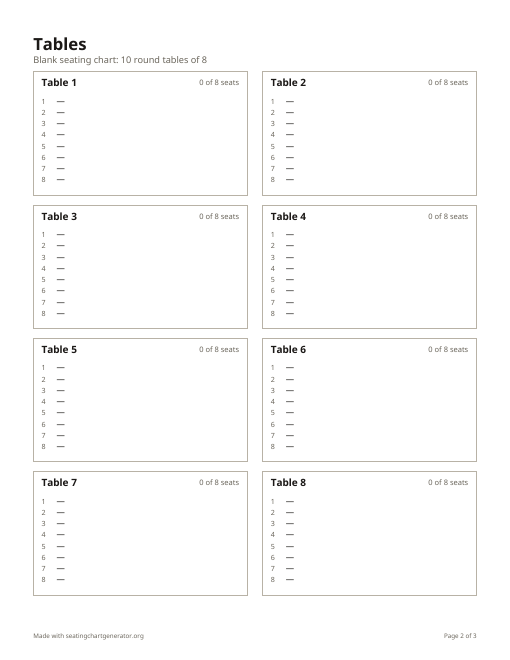
After the floor plan, each PDF has a page of boxes, one per table (or a list of seats per row for theater seating), with numbered seats to write names beside. Seat numbers match the floor plan, so a helper can set place cards from it.
Print it with the names filled in
The chart above is the same kind of plan, ready for your guests: press Use this layout to keep the room and clear the example names, paste your list, and press Smart arrange. Then Download PDF prints the floor plan with names, an alphabetical find-your-seat list and a list for each table.
More printable templates
- Wedding seating chart template: rooms of 8 to 20 round tables, plus Excel and Word versions.
- Classroom seating chart template: rows, pairs, groups and a U-shape, with a roster page.
- A poster for the entrance: the seating chart sign maker, and what size to print it.
Frequently asked questions
Is there a free printable seating chart?
Yes. Every PDF on this page is free to download and print, with no sign-up and no watermark.
What’s in each blank seating chart PDF?
A floor plan with numbered tables or rows on the first page, then fill-in pages with numbered seats for each table or row. Letter and A4.
Can I print a seating chart with the names already filled in?
Yes. Add your guests to the chart above and download the PDF: it prints the floor plan with names, an alphabetical list and a list for each table.
How do I print a seating chart without it being cut off?
Choose “Actual size” or 100% in the print dialog, not “Fit to page” or a custom scale, and use the paper size you downloaded.
Do you have wedding or classroom versions?
Yes: the wedding seating chart template has rooms of 8 to 20 round tables, and the classroom seating chart template has rows, pairs, groups and a U-shape.