Etsy, Minted and Printed Seating Charts: Buy or Make?
Buying a seating chart design or a printed sign is easy until you type 150 names into it. What each option offers, and how to make one from your plan instead.
Checked on October 18, 2026, from the sellers’ public pages and listings. Products and prices change; check their sites. This site isn’t affiliated with any of them.
The short answer
- Buy a design if you want a particular look or a sign that matches your invitations, and don’t mind typing the names in.
- Make it yourself if you want the names to come straight from your seating plan, at no cost beyond printing.
The ways to buy one
- Etsy templates. Digital downloads you edit yourself, often in Canva (with a free Canva account) or Corjl, then print locally. Many designs; sizes vary by listing (18 × 24 in, 24 × 36 in and A1 are common).
- Minted. Designer seating charts you customise to match your stationery, in 16 × 20 in or 18 × 24 in.
- Vistaprint. Seating chart templates printed as foam board signs.
- Zazzle. Seating chart posters you customise in its design tool, in many sizes and paper types.
- The Knot’s paper shop. Foam core seating charts in its stationery designs.
Where these are better: professional designs, stationery that matches, and a finished, mounted sign delivered to you. If the look matters most, they’re a good choice.
The catch: typing every name
Every one of these starts with a design and asks you to fill in the names. With 150 guests, that’s 150 names and 15 table numbers typed by hand, after you’ve already decided who sits where somewhere else. Every late change means editing the design again, and every typo goes to print.
Making it yourself
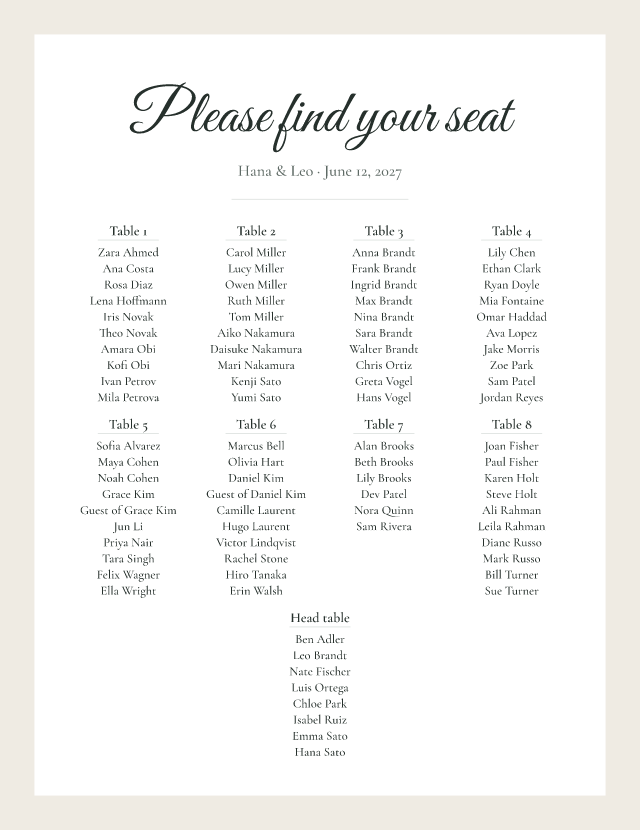
- Seat your guests in the wedding seating chart generator.
- Open the seating chart sign maker: choose by table or A–Z, one of four styles, and a size from 11 × 17 in to 24 × 36 in (or A3 to A1).
- Download a print-ready PDF at the exact size, free and without a watermark.
- Print it at a local print shop or online printer, and ask for foam board mounting if you’ll use an easel.
Move a guest in the plan and download again: the sign updates. Want a designer look too? Upload the sign to a design tool and decorate around it; see our Canva comparison.
Before you print anything
- Proof every name against your final list, including spelling and table numbers. Some sellers don’t reprint custom signs.
- Check the size fits your guest count; see what size the sign should be.
- Leave time: large prints and foam board mounting can take days, so finish the seating early.
- Keep a printed A–Z list as a backup for the day.
Frequently asked questions
How do Etsy seating chart templates work?
You buy a digital download, open the template in an online editor (often Canva or Corjl), type in your guests and tables, then download a print file and have it printed. Check the sizes included and the refund policy before buying; instant downloads are often non-refundable.
What sizes does Minted offer for seating charts?
Minted’s seating chart page lists 16 × 20 in and 18 × 24 in.
Can I get a seating chart printed on foam board?
Yes. Several printers sell foam board seating chart signs, including Vistaprint and The Knot’s paper shop. You can also print your own PDF at a local print shop and ask for foam board mounting.
Is it cheaper to make my own seating chart?
Usually. Making the sign in a free sign maker costs nothing, so you only pay for printing. Buying a design adds the template or design cost, and custom printed products add the product price.
What if there’s a typo on a printed seating chart?
Proof every name before you approve the print. Some sellers don’t reprint custom signs because each one is unique, so a mistake can mean paying again.